



How to Find the Right Replacement Battery
2026 Aug 3rd
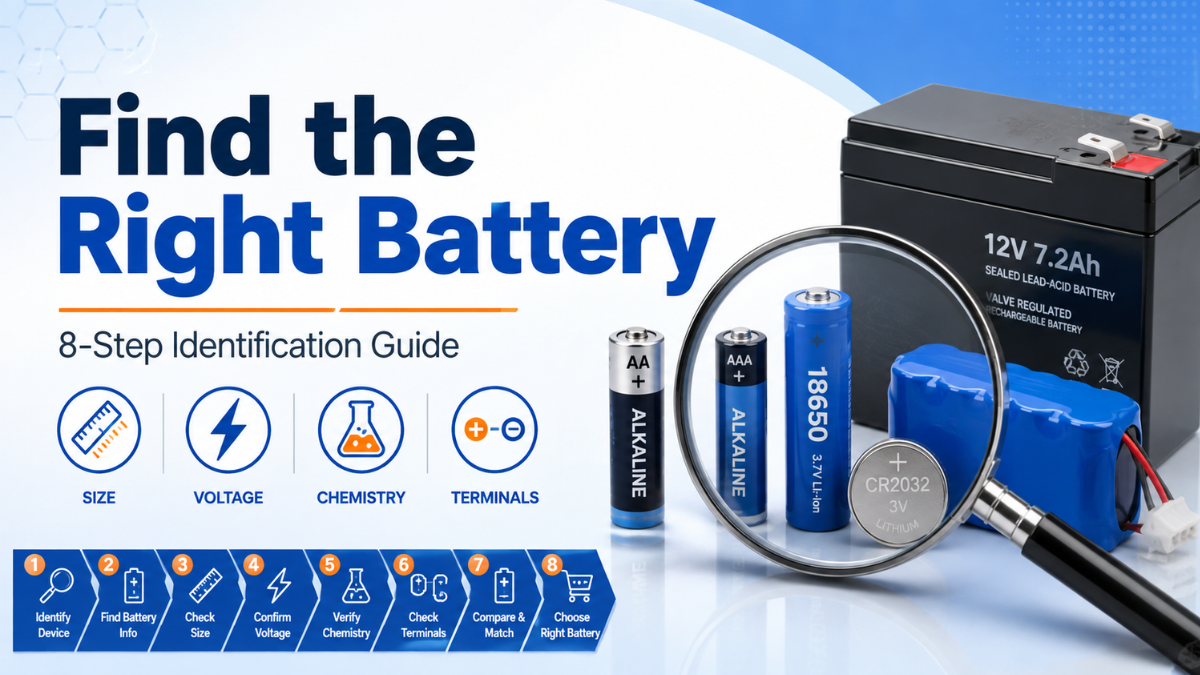
Learn how to identify the correct voltage, physical size, chemistry, terminal style, connector, polarity, capacity, and replacement number before ordering a new battery.
A battery may look similar to the one you need and still be incompatible with your device. Differences in voltage, chemistry, dimensions, terminals, connectors, and polarity can affect whether the battery fits, operates correctly, or can be charged safely.
The safest starting point is the original battery, your device manual, or the equipment manufacturer’s specifications. Use the following checklist to confirm every important detail before choosing a replacement.
Confirm these six essential details before purchasing:
Look for the model, part number, size designation, or replacement code printed on the original battery.
Match the voltage required by the device or specified by its manufacturer.
Identify whether the battery is alkaline, lithium, NiMH, NiCd, lithium-ion, or another chemistry.
Compare the length, width, height, diameter, and overall battery shape.
Check for button tops, flat tops, tabs, leads, snap terminals, or screw terminals.
For battery packs, confirm the connector, wire arrangement, and positive and negative positions.
Examine the battery for a model number, part number, size designation, or replacement code. It may be printed on the wrapper, label, casing, or underside of the battery.
Depending on the battery, the identification may look like:
- AA, AAA, C, D, or 9V for common household batteries
- CR2032, CR2025, or CR123A for lithium batteries
- 377, SR626SW, or AG4 for watch and button batteries
- 18650, 14500, or 21700 for cylindrical rechargeable cells
- LS14500, ER14250, or TL-5903 for industrial lithium batteries
- A device-specific or manufacturer-specific battery-pack number
When the original number is no longer visible, check the device label, owner’s manual, battery compartment, or manufacturer’s replacement-parts list.
The replacement battery should normally match the voltage required by the device. Do not select a battery only because it has a similar shape or size.
Voltage information may be printed directly on the battery as 1.2V, 1.5V, 3V, 3.6V, 3.7V, 6V, 9V, or 12V. Battery packs may use several cells connected together to produce a higher total pack voltage.
Look for the chemistry name or abbreviation printed on the battery. Common battery chemistries include:
| Battery Chemistry | Common Marking | Typical Uses |
|---|---|---|
| Alkaline | Alkaline, LR | Remote controls, toys, clocks, flashlights, and household devices |
| Lithium Primary | CR, Lithium | Cameras, sensors, security equipment, and coin-cell devices |
| Silver Oxide | SR, Silver Oxide | Watches, calculators, instruments, and small electronics |
| Nickel-Metal Hydride | NiMH | Rechargeable household cells, battery packs, and high-drain devices |
| Nickel-Cadmium | NiCd | Older rechargeable packs, emergency lighting, and industrial equipment |
| Lithium-Ion | Li-ion, ICR, INR, IMR | Flashlights, electronics, equipment, and rechargeable battery packs |
| Lithium Iron Phosphate | LiFePO4, IFR | Solar lighting, rechargeable cells, and specialty equipment |
| Lithium Thionyl Chloride | Li-SOCl2, ER, LS, TL | PLC systems, meters, alarms, memory backup, and industrial devices |
| Sealed Lead Acid | SLA, AGM, VRLA | UPS systems, alarms, emergency lighting, mobility equipment, and backup power |
Batteries with different chemistries are not automatically interchangeable, even when their dimensions are similar. Rechargeable batteries must also be used with a charger designed for their specific chemistry.
Measure the original battery and compare its dimensions with the product specifications. Depending on the battery shape, check:
- Length
- Width
- Height
- Diameter
- Terminal height
- Wire and connector length
For the best accuracy, use a ruler with millimetre markings or a digital caliper. Small differences can matter in tightly fitted battery compartments.
Visit our Battery Charts to compare common battery sizes, numbers, and specifications.
Two batteries can share the same voltage, chemistry, and basic dimensions while using different terminal configurations. Inspect both ends of the original battery carefully.
- Button-top positive terminal
- Flat-top positive terminal
- Solder tabs
- Axial leads
- Wire leads with a plug or connector
- 9-volt snap terminals
- F1, F2, or F3 sealed lead-acid terminals
- Screw, bolt, or threaded terminals
- Multi-pin industrial battery connectors
A connector may appear to fit while its wires are arranged differently. Before connecting a replacement pack, compare:
- The connector shape and size
- The number of pins
- The locking tab or clip position
- The red and black wire positions
- The positive and negative polarity
- The wire length and direction
Never rely only on wire colour or connector appearance. Confirm the polarity diagram and product specifications whenever possible.
Battery capacity is commonly shown in milliamp-hours (mAh) or amp-hours (Ah). A higher capacity may provide longer operating time when the battery remains otherwise compatible with the device.
Capacity should not be used by itself to select a replacement. Voltage, chemistry, dimensions, terminals, connector, discharge capability, and charging requirements must still match.
Cross-reference charts can help identify equivalent battery numbers. However, a matching cross-reference number should be treated as a starting point rather than the only compatibility check.
Before ordering a cross-referenced battery, confirm:
- Voltage
- Chemistry
- Physical dimensions
- Terminal or tab configuration
- Connector and polarity
- Rechargeability
- Device-manufacturer requirements
This is especially important for industrial batteries, PLC batteries, medical-equipment batteries, battery packs, and products with custom plugs.
Follow these six steps when you are unsure which replacement battery to order.
Photograph the battery before disconnecting it. Capture the label, terminals, connector, wire positions, and how it sits inside the device.
Write down the complete model number, voltage, chemistry, capacity, date code, and any additional letters or suffixes.
Record the length, width, height, or diameter in millimetres. Include terminals, tabs, wires, and connectors in your comparison.
Review the battery compartment, equipment label, user manual, or manufacturer’s replacement instructions.
Search the complete identifier first. When it is unavailable, use a cross-reference and verify every specification individually.
Review the product title, specifications, dimensions, images, connector orientation, polarity, and compatibility information.
Avoid these frequent causes of incompatibility:
- Choosing a battery because it looks approximately the same
- Ignoring a voltage difference
- Assuming batteries with the same size number always use the same chemistry
- Confusing rechargeable and non-rechargeable batteries
- Overlooking button-top and flat-top differences
- Ignoring tabs, plugs, wire length, or connector polarity
- Using capacity as the only selection criterion
- Forcing a battery or connector into a device
- Using a charger not designed for the battery chemistry
Gathering the correct information can make battery identification much easier. Before contacting us, prepare the following:
- A clear photo of the entire battery
- A close-up photo of the printed label
- Photos of both terminals or the connector
- The device brand and model number
- The battery’s measurements
- Any number printed inside the battery compartment
Our team can help review the information, but final compatibility should always be confirmed against the device manufacturer’s specifications.
Search by battery number, size, voltage, chemistry, brand, or device type, or use our battery charts to compare common replacement numbers.